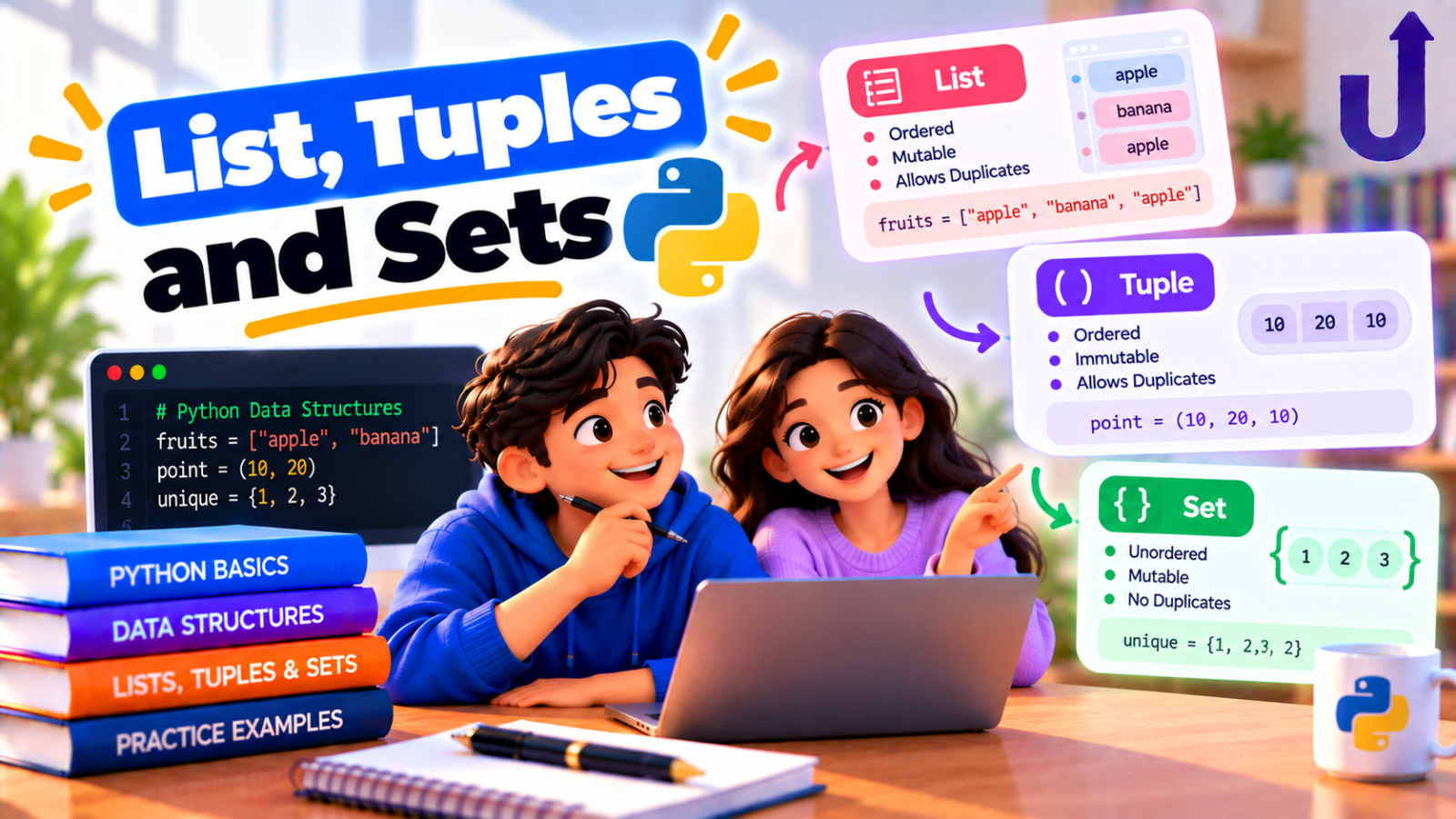
The difference between a Python list, tuple and set comes down to three questions: can it change, does order matter, and are duplicates allowed? A list is ordered and changeable. A tuple is ordered but cannot change. A set keeps only unique items and has no order you can rely on.
Pick a list for a collection that grows or changes, a tuple for a fixed group of values, and a set when you care about uniqueness or fast “is this in here?” checks. Below is each one in action, with real output.
In this guide
The short version
- list
[1, 2, 3]– ordered, changeable, duplicates allowed. - tuple
(1, 2, 3)– ordered, not changeable, duplicates allowed. - set
{1, 2, 3}– unordered, changeable, duplicates removed.
Creating a list, tuple and set
Square brackets make a list, round brackets a tuple and curly braces a set. Notice how the set quietly drops the repeated 3:
marks = [90, 85, 90]        # list
point = (10, 20)            # tuple
ids = {3, 1, 3, 2}          # set
print(marks, point, ids)
print(len(marks), len(point), len(ids))
Output
[90, 85, 90] (10, 20) {1, 2, 3}
3 2 3
The differences at a glance
| list | tuple | set | |
|---|---|---|---|
| Syntax | [1, 2, 3] | (1, 2, 3) | {1, 2, 3} |
| Ordered? | Yes | Yes | No |
| Can change after creation? | Yes | No | Yes (add and remove) |
| Duplicates? | Allowed | Allowed | Removed |
| Index with [0]? | Yes | Yes | No |
| Can be a dict key? | No | Yes (if its items are hashable) | No |
| Typical use | A collection that grows | A fixed record, a coordinate | Unique items, fast lookups |
Can it change?
Lists and sets can be changed in place. You can append to a list, replace one of its items, or add to a set:
marks = [90, 85]
marks.append(70)
marks[0] = 100
print(marks)
ids = {1, 2}
ids.add(3)
ids.add(3)
print(ids)
Output
[100, 85, 70]
{1, 2, 3}
A tuple cannot be changed at all. Trying to assign to a position, or to add to it, fails:
point = (10, 20)
point[0] = 99
Output
TypeError: 'tuple' object does not support item assignmentpoint = (10, 20)
point.append(30)Output
AttributeError: 'tuple' object has no attribute 'append'To “change” a tuple you build a new one. This property is called immutability, and it is the main reason to choose a tuple: it tells the reader, and Python, that these values are not supposed to change.
Order and indexing
Lists and tuples keep their items in the order you gave them, so you can read them by position and slice them:
marks = [90, 85, 70]
point = (10, 20)
print(marks[0], marks[-1], marks[1:])
print(point[1])
Output
90 70 [85, 70]
20
A set has no positions, so indexing does not work:
ids = {1, 2, 3}
print(ids[0])
Output
TypeError: 'set' object is not subscriptableIf you need to loop over a set in a predictable order, use sorted(the_set).
Duplicates
Lists and tuples keep every item, repeats included. A set keeps one copy of each. That makes set() the quickest way to remove duplicates, but it loses the original order. If you need to keep the order, dict.fromkeys() does the job, because a dictionary keeps insertion order and cannot hold a key twice:
data = [3, 1, 3, 2, 1]
print(set(data))
print(sorted(set(data)))
print(list(dict.fromkeys(data)))
Output
{1, 2, 3}
[1, 2, 3]
[3, 1, 2]
Fast membership tests
Checking x in collection is one of the most common operations. In a list Python looks at items one by one, so the work grows with the list. A set uses hashing to jump straight to the answer, so the check takes roughly the same time however large the set is (on average). For a small list it does not matter. For thousands of items and many lookups, a set is far faster.
allowed = {"admin", "editor"}
print("admin" in allowed, "guest" in allowed)
print(len(allowed))
Output
True False
2
Good candidates for a set: a list of allowed roles, banned words, or ids you have already processed.
Set operations
Sets support the maths you learned at school. These are also useful in real work, for example finding customers who appear in two lists:
a = {1, 2, 3, 4}
b = {3, 4, 5}
print(a | b)
print(a & b)
print(a - b)
print(a ^ b)
print({3, 4}.issubset(a))
Output
{1, 2, 3, 4, 5}
{3, 4}
{1, 2}
{1, 2, 5}
True
a | b– union: everything in either set.a & b– intersection: only what is in both.a - b– difference: inabut not inb.a ^ b– symmetric difference: in exactly one of them.
Where tuples shine
Tuples look like limited lists, but they have real strengths. They are ideal for values that belong together and should not change, and functions often return several values as a tuple. Unpacking makes them pleasant to use, and gives Python its neat swap:
point = (10, 20)
x, y = point
print(x, y)
a, b = 1, 2
a, b = b, a
print(a, b)
Output
10 20
2 1
Because a tuple cannot change, it can be used as a dictionary key (a list cannot):
visits = {(28.6, 77.2): "Delhi", (19.1, 72.9): "Mumbai"}
print(visits[(28.6, 77.2)])
Output
Delhitry:
bad = {[1, 2]: "x"}
except TypeError as e:
print(type(e).__name__)
print("unhashable" in str(e))Output
TypeError
True
Python raises a TypeError and its message mentions unhashable: only objects that cannot change can be hashed, which is why lists (and sets and dicts) are refused as keys. You can read more in Python Dictionaries Explained.
Common mistakes
Mistake 1: {} is a dict, not an empty set
Mistake 2: (5) is not a tuple
Both catch beginners out. An empty set is set(), and a one-item tuple needs a trailing comma: (5,).
print(type({}), type(set()))
print(type((5)), type((5,)))
Output
<class 'dict'> <class 'set'>
<class 'int'> <class 'tuple'>
Mistake 3: thinking a tuple’s contents can never change
The tuple itself cannot change, meaning you cannot replace or add items. But if an item inside is mutable, that item can still change:
t = ([1, 2], 3)
t[0].append(9)
print(t)
Output
([1, 2, 9], 3)The tuple still holds the same list, and the list changed. Keep this in mind when a tuple holds lists or dictionaries.
Mistake 4: relying on the order of a set
A set’s printed order is an implementation detail. Do not write code that depends on it. Use a list, or sort the set first.
Mistake 5: using a list for lookups in a loop
Testing if x in big_list inside a loop gets slow as the data grows. Convert the list to a set once, before the loop.
Which one should I use?
| If you need… | Use |
|---|---|
| An ordered collection you will add to, remove from or sort | list |
| A fixed group of related values (a coordinate, a database row) | tuple |
| A dictionary key made of several values | tuple |
| Only unique items | set |
| To check membership quickly, or compare two groups | set |
| To remove duplicates and keep the order | dict.fromkeys(items) or a loop with a set |
Try it yourself
Work out each answer first, then open the solution.
1. Remove the duplicates from ["b", "a", "b", "c", "a"] but keep the first-seen order.
Show answer
print(list(dict.fromkeys(["b", "a", "b", "c", "a"])))Output
['b', 'a', 'c']A dictionary keeps insertion order and cannot repeat a key, so dict.fromkeys() gives you the unique items in order.
2. What does {1, 2, 3} & {2, 3, 4} give?
Show answer
Output
{2, 3}& is intersection: the items that are in both sets.
3. Does this work, and what does it print?
t = (1, [2, 3])
t[1].append(4)
print(t)
Show answer
Output
(1, [2, 3, 4])It works. The tuple never gets a new item. The list inside it does, because lists are mutable.
4. What does print({(1, 2), (1, 2)}) print?
Show answer
Output
{(1, 2)}Tuples of numbers are hashable, so they can live in a set, and the duplicate is removed.
Try these in our free Python compiler and change the values.
Frequently asked questions
What is the main difference between a list and a tuple?
A list can be changed after creation (append, remove, replace items), and a tuple cannot. Use a tuple for values that should stay fixed, and a list for a collection that changes.
Is a set faster than a list?
For checking whether an item is present, yes. A set finds an item in roughly constant time on average, while a list checks items one by one. For simply looping over items, or when order and duplicates matter, a list is the right choice.
Can a set contain a list?
No. Set items must be hashable, and a list is not, so {[1, 2]} raises a TypeError. A tuple of numbers or strings works fine.
Are sets ordered in Python?
No. A set has no positions, so you cannot index it, and you should not depend on the order it prints in. Use sorted(the_set) when you need a stable order.
How do I convert between a list, tuple and set?
Wrap the collection in the type you want: list(x), tuple(x) or set(x). Converting to a set removes duplicates and drops the order.
Why would I use a tuple instead of a list?
Tuples signal that the data should not change, can be used as dictionary keys and set items, and are the natural way to return several values from a function.
Related reading
- Python Data Types Explained With Examples – the full set of built-in types.
- Python Dictionaries Explained With Examples – key-value data and why keys must be hashable.
- Mutable vs Immutable Objects in Python – what changing in place really means.
- Python List Comprehension Explained Simply – build lists and sets in one line.
Run this code in your browser
The free Upskly compiler runs Python with nothing to install. Paste the example, change it and see what happens.
Stuck on a traceback?
AI Assist works inside the Python notebook, so you can ask about an error or a concept without leaving the cell.
Test yourself
Timed questions on Lists, Tuples and Sets, with an explanation for every answer.
