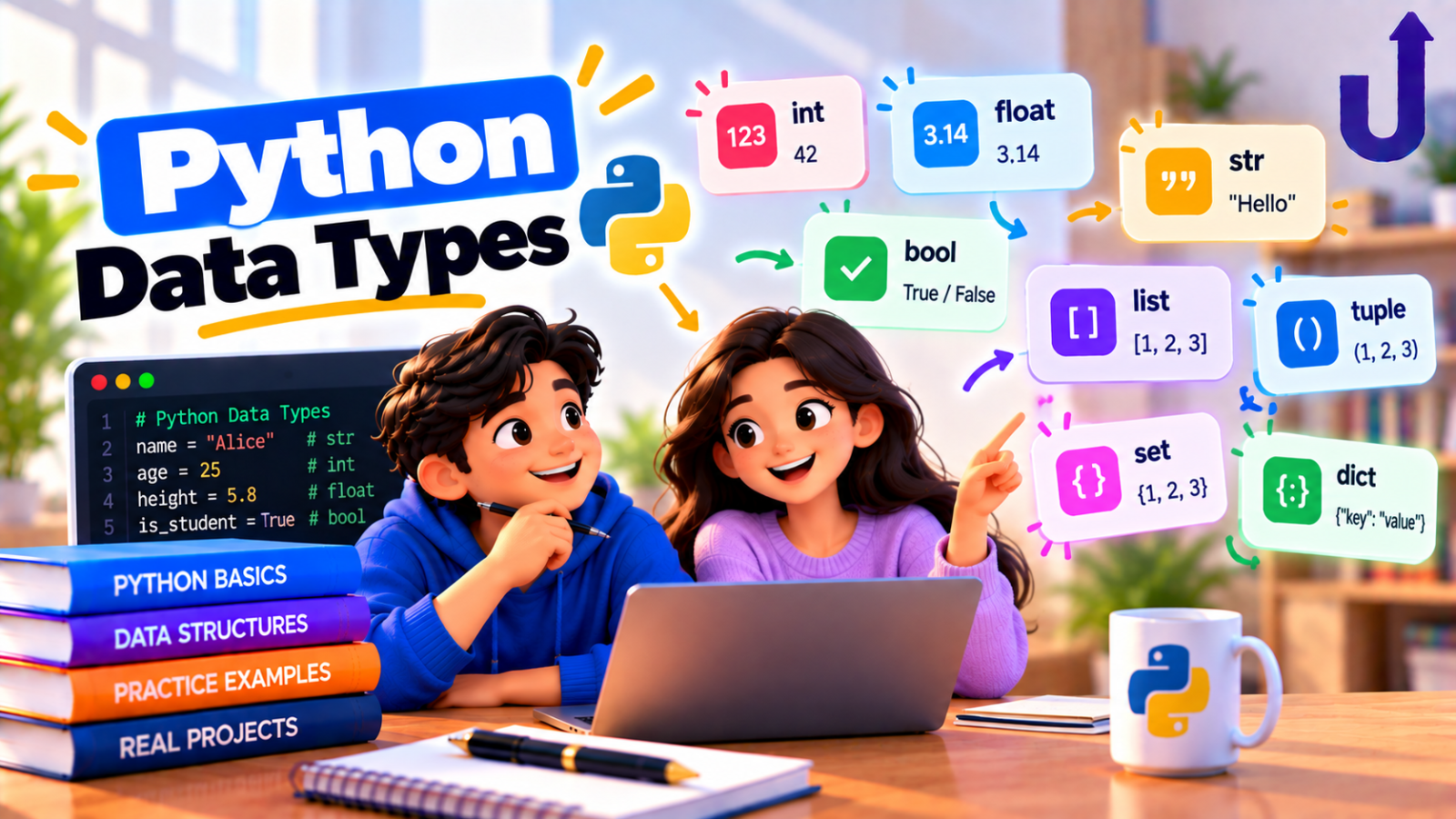
Python data types tell Python what kind of value something is, and therefore what you can do with it. The built-in types you will use every day are int, float, str, bool, list, tuple, set, dict and None. You can check any value’s type with type().
This guide goes through each one with a short example and its real output, then covers type checking, type conversion and the mistakes beginners make most often.
In this guide
The short version
- Numbers:
int(whole),float(decimal),complex(rare). - Text:
str. Yes/no:bool. Nothing:None. - Collections:
list[ ],tuple( ),set{ },dict{ key: value }. - The type belongs to the value, not the variable. Python works it out for you.
What is a data type in Python?
Every value in Python is an object, and every object has a type. The type decides which operations make sense: you can add two numbers, join two strings, or append to a list, but you cannot do all of those to everything.
Python is dynamically typed. You do not declare a type in advance. The variable name simply points to a value, and the value carries its type. The same name can point to different types over time:
x = 5
print(x, type(x))
x = "five"
print(x, type(x))
Output
5 <class 'int'>
five <class 'str'>
You do not have to write int x = 5 as in some other languages. Use type() whenever you want to see what you are holding.
Numbers: int, float and complex
int is a whole number, float has a decimal point, and complex is for numbers like 3 + 4j (you will rarely need it). Python’s int has no fixed size limit, so very large numbers just work:
count = 42          # int
price = 19.99       # float
z = 3 + 4j          # complex
print(type(count), type(price), type(z))
print(2 ** 100)
Output
<class 'int'> <class 'float'> <class 'complex'>
1267650600228229401496703205376
The last line is a 31-digit number, and Python handled it without any special setup.
Why 0.1 + 0.2 is not exactly 0.3
Floats are stored in binary, and some decimal fractions cannot be stored exactly. This is true in every language that uses standard floating-point, not just Python:
import math
print(0.1 + 0.2)
print(0.1 + 0.2 == 0.3)
print(math.isclose(0.1 + 0.2, 0.3))
Output
0.30000000000000004
False
True
Never compare floats with == when the values come from calculations. Use math.isclose() instead. For money, whole amounts in paise (an int) or the decimal module are safer than float.
Division gives a float, floor division gives an int
print(7 / 2)
print(7 // 2)
print(7 % 2)
print(type(6 / 3))
Output
3.5
3
1
<class 'float'>
/ always returns a float, even for 6 / 3. Use // when you want the whole-number part and % for the remainder.
Text: str
A str is a sequence of characters, written in single or double quotes. You can index it, slice it and measure it:
name = "Asha"
print(name[0], name[-1], len(name))
print(name.upper())
Output
A a 4
ASHA
Strings are immutable: you cannot change a character in place. You build a new string instead.
name = "Asha"
name[0] = "B"
Output
TypeError: 'str' object does not support item assignmentWe cover slicing, methods and formatting in Python Strings: Methods and Slicing Explained.
Booleans and truthiness
bool has two values, True and False. Two things surprise beginners. First, bool is a kind of int, so True behaves like 1. Second, every value has a truthiness: empty or zero values count as false, and everything else counts as true.
print(True + True)
print(isinstance(True, int))
print(bool(0), bool(""), bool([]), bool(None))
print(bool(5), bool("0"), bool([0]))
Output
2
True
False False False False
True True True
Note that bool("0") is True: any non-empty string is true, even the text “0”. The falsy values to remember are 0, 0.0, "", [], (), {}, set() and None.
None
None means “no value here”. It is the only value of type NoneType, and it is what a function returns when it has no return statement. Test for it with is None, not == None:
result = None
print(result, type(result))
print(result is None)
Output
None <class 'NoneType'>
True
Collections: list, tuple, set, dict
These four hold many values at once. Each has its own brackets:
scores = [90, 85, 90]                       # list
point = (10, 20)                            # tuple
unique = {3, 1, 3, 2}                       # set
student = {"name": "Asha", "marks": 90}     # dict
for value in (scores, point, unique, student):
    print(type(value).__name__, value)
Output
list [90, 85, 90]
tuple (10, 20)
set {1, 2, 3}
dict {'name': 'Asha', 'marks': 90}| Type | Syntax | Ordered? | Can change? | Duplicates? |
|---|---|---|---|---|
| list | [1, 2, 3] | Yes | Yes | Allowed |
| tuple | (1, 2, 3) | Yes | No | Allowed |
| set | {1, 2, 3} | No | Yes | Removed |
| dict | {'a': 1} | Yes (insertion order) | Yes | Keys must be unique |
Look at the set in the output above: {3, 1, 3, 2} became {1, 2, 3}. The duplicate 3 was dropped. Sets have no order you should rely on, so never depend on the order they print in.
Mutable vs immutable
A mutable object can be changed in place after it is created. A list can. A tuple cannot:
scores = [90, 85, 90]
scores[0] = 100
print(scores)
Output
[100, 85, 90]point = (10, 20)
point[0] = 99Output
TypeError: 'tuple' object does not support item assignmentLists, sets and dicts are mutable. Numbers, strings, booleans, tuples and None are immutable. This matters more than it first appears, especially when you pass objects to functions or copy them. See Mutable vs Immutable Objects in Python for the full story, and Python List vs Tuple vs Set for choosing between them.
Checking a type: type() vs isinstance()
type(x) tells you the exact type. isinstance(x, SomeType) asks “is this a SomeType, or a subtype of it?”. In real code isinstance is usually what you want:
print(type(True) == int)
print(isinstance(True, int))
print(type([]) == list, isinstance([], list))
Output
False
True
True True
The first line is False because the exact type of True is bool, not int. The second is True because bool is a subtype of int.
Converting between types
Use the type name as a function: int(), float(), str(), bool(), list(), and so on. This is called type conversion, or casting.
print(int("42") + 1)
print(int(3.9), int(-3.9))
print(round(3.9))
print(float("3.5"), str(42), list("abc"))
print(bool("False"))
Output
43
3 -3
4
3.5 42 ['a', 'b', 'c']
True
Two details to notice. int() truncates toward zero (3.9 becomes 3, and -3.9 becomes -3), while round() goes to the nearest whole number. And bool("False") is True, because the string is not empty.
A conversion can fail when the value does not make sense as the target type:
int("3.9")Output
ValueError: invalid literal for int() with base 10: '3.9'The text “3.9” is not a valid whole number, so int() refuses. Convert to float first, or handle the error. Handling it properly is covered in Python Exception Handling.
Common mistakes
Mistake 1: adding text and a number
print("5" + 5)Output
TypeError: can only concatenate str (not "int") to strPython will not guess whether you want "55" or 10. Convert one side: "5" + str(5) gives text, int("5") + 5 gives a number.
Mistake 2: forgetting that input is text
Data you read from a user, a file or a web form usually arrives as a string, even when it looks like a number:
age = "25"            # input() always gives you text
print(age + "1")
print(int(age) + 1)
Output
251
26
Convert it with int() or float() before doing arithmetic.
Mistake 3: comparing floats with ==
As shown earlier, 0.1 + 0.2 == 0.3 is False. Use math.isclose().
Mistake 4: assuming a set keeps its order
A set is for uniqueness and fast membership tests, not for order. If you need order, use a list, or sorted(the_set).
Quick reference table
| Type | Example | Can change? | Typical use |
|---|---|---|---|
| int | 42 | No | Counts, ids, whole amounts |
| float | 19.99 | No | Measurements, averages |
| complex | 3 + 4j | No | Maths and engineering (rare) |
| str | 'hello' | No | Text |
| bool | True | No | Conditions and flags |
| NoneType | None | No | "No value yet" |
| list | [1, 2, 3] | Yes | An ordered collection that grows |
| tuple | (10, 20) | No | A fixed group, such as a coordinate |
| set | {1, 2, 3} | Yes | Unique items, fast lookups |
| dict | {'a': 1} | Yes | Look up a value by a key |
Less common built-ins you will meet later: bytes, range and frozenset (an immutable set).
Try it yourself
Work out each answer first, then open the solution.
1. What type does 3 / 1 produce?
Show answer
print(type(3 / 1))Output
<class 'float'>Regular division always gives a float, even when the result is a whole number.
2. What does bool([0]) print?
Show answer
print(bool([0]))Output
TrueThe list is not empty, so it is truthy. What is inside it does not matter.
3. What are the types of (5) and (5,)?
Show answer
print(type((5)), type((5,)))Output
<class 'int'> <class 'tuple'>Brackets alone do not make a tuple. The comma does. (5) is just the number 5 in brackets.
4. What does this print?
print(list("hi"), tuple("hi"), set("aa"))Show answer
Output
['h', 'i'] ('h', 'i') {'a'}A string is a sequence of characters, so list() and tuple() split it up. The set keeps just one 'a'.
Run any of these in our free Python compiler and change the values to see what happens.
Frequently asked questions
How many data types are there in Python?
Python has many built-in types, but the ones most beginners need are int, float, str, bool, list, tuple, set, dict and None. There are also complex, bytes, range and frozenset, and you can create your own types with classes.
Is Python statically or dynamically typed?
Dynamically typed. You do not declare a variable’s type. The value carries its type, and the same name can point to different types over time. Python is also strongly typed: it will not silently mix incompatible types, which is why "5" + 5 raises an error.
What is the difference between a list and a tuple?
A list can be changed after it is created, and a tuple cannot. Use a list for a collection that grows or changes, and a tuple for a fixed group of values such as a coordinate pair.
How do I check the type of a variable?
Use type(x) to see its exact type, or isinstance(x, int) to test whether it is an int (or a subtype of one). In real code, isinstance is usually the better choice.
What is NoneType in Python?
It is the type of None, the single value that means “no value”. Functions without a return statement return it. Check for it with is None.
What does mutable mean?
A mutable object can be changed in place after it is created: lists, dicts and sets. An immutable object cannot: numbers, strings, tuples and booleans. To change an immutable value you create a new one.
Related reading
- How to Learn Python: A Step-by-Step Roadmap – where data types fit in the bigger picture.
- Python Strings: Methods and Slicing Explained – everything you can do with str.
- Python List vs Tuple vs Set: Key Differences – which collection to pick.
- Python Dictionaries Explained With Examples – key-value data in depth.
Run this code in your browser
The free Upskly compiler runs Python with nothing to install. Paste the example, change it and see what happens.
Stuck on a traceback?
AI Assist works inside the Python notebook, so you can ask about an error or a concept without leaving the cell.
Test yourself
Timed questions on Data Types and Operators, with an explanation for every answer.
