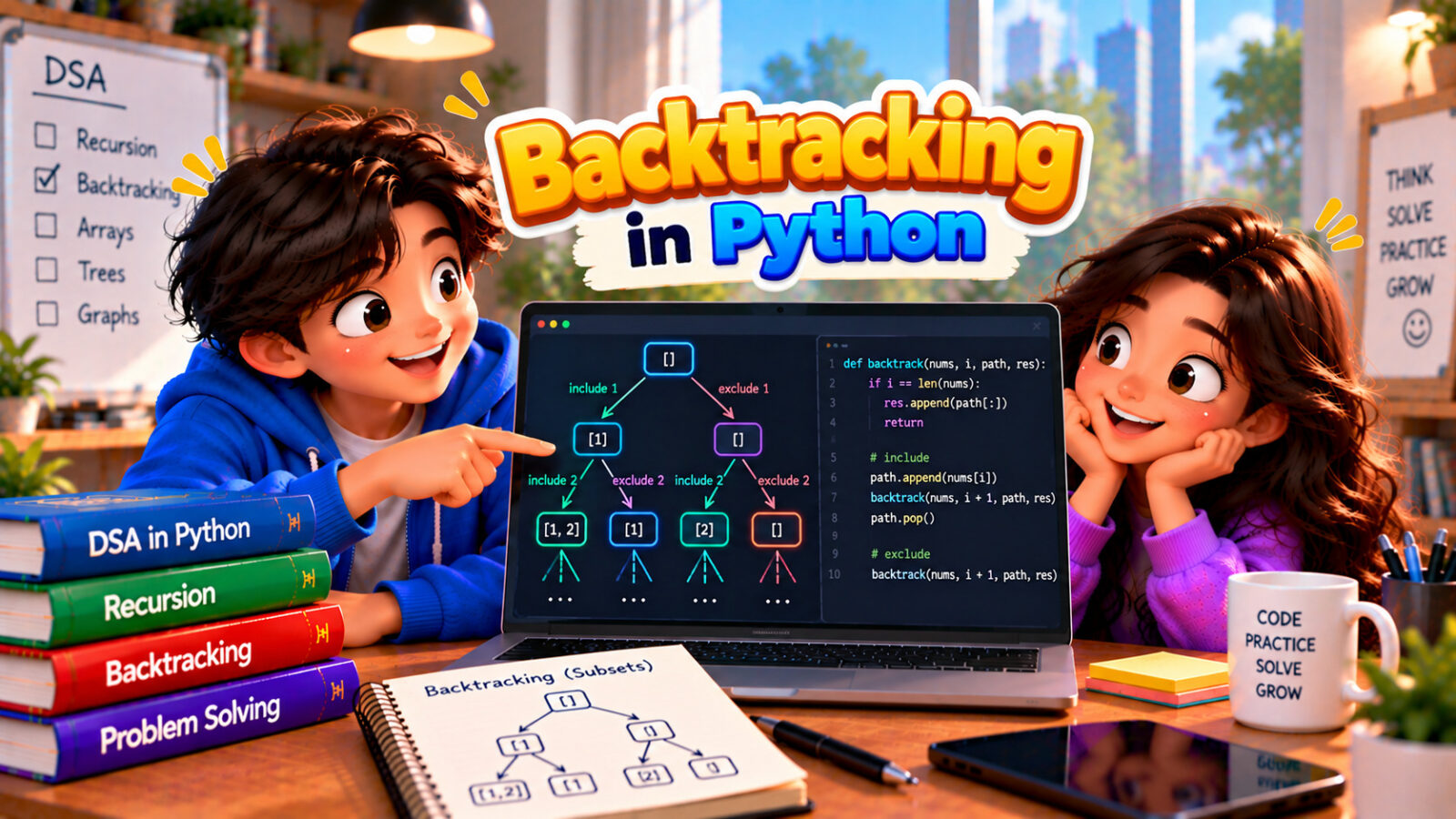
Backtracking is a way of finding solutions by building them one step at a time, and undoing a step as soon as it turns out to be a dead end. It is like exploring a maze: at every junction you pick a path, walk on, and when you hit a wall you go back to the last junction and try another path. Nothing is repeated, and no path is left untried.
This guide gives you one template that solves a whole family of problems, then applies it to subsets, permutations, combinations, combination sum, N-Queens and generating brackets. All the output shown is real.
In this guide
The short version
- Backtracking is recursion that tries a choice, explores what follows, and undoes the choice.
- Template: choose (append), explore (recurse), un-choose (pop).
- Save a copy of the path when you reach a solution:
result.append(path[:]). - Prune: stop as soon as a partial path cannot lead to a solution.
- It lists every solution, so it is exponential. Subsets:
2^n. Permutations:n!.
The idea: choose, explore, undo
Backtracking is recursion with a shared, growing path. Every recursive call does three things in a loop, one for each possible next choice:
- Choose: add the option to the path.
- Explore: recurse to build the rest of the solution.
- Un-choose: remove the option again, so the next option starts from a clean state.
When the path is a complete solution, save a copy. When it cannot lead anywhere, return early. We will use the template on the simplest problem first.
Subsets
List every subset (the power set) of [1, 2, 3]. For each item there are two options, take it or leave it, so there are 2 x 2 x 2 = 8 subsets. Every path we build is already a valid subset, so we record it at the start of each call:
def subsets(nums):
    result = []
    path = []

    def backtrack(start):
        result.append(path[:])            # every path so far is a valid subset
        for i in range(start, len(nums)):
            path.append(nums[i])          # choose
            backtrack(i + 1)              # explore
            path.pop()                    # un-choose (undo)

    backtrack(0)
    return result

print(subsets([1, 2, 3]))
print(len(subsets([1, 2, 3])), len(subsets([])))
Output
[[], [1], [1, 2], [1, 2, 3], [1, 3], [2], [2, 3], [3]]
8 1
The start index makes sure each subset is built in only one order, so [1, 2] appears but [2, 1] does not. To see the choose, explore and undo steps in action, here is a trace on just two items. Indentation shows the depth of the recursion:
def subsets_trace(nums):
    path = []

    def backtrack(start, depth):
        pad = "  " * depth
        print(f"{pad}subset: {path}")
        for i in range(start, len(nums)):
            print(f"{pad}choose {nums[i]}")
            path.append(nums[i])
            backtrack(i + 1, depth + 1)
            path.pop()
            print(f"{pad}undo {nums[i]}")

    backtrack(0, 0)

subsets_trace([1, 2])
Output
subset: []
choose 1
  subset: [1]
  choose 2
    subset: [1, 2]
  undo 2
undo 1
choose 2
  subset: [2]
undo 2
Each choose is later matched by an undo. That is what “backtracking” means: after exploring, we step back.
A classic mistake is to store path itself instead of a copy. The list is shared and keeps changing, and by the end it is empty again, so every stored entry shows the same empty list. Always use path[:] (or list(path)):
def subsets_bug(nums):
    result, path = [], []

    def backtrack(start):
        result.append(path)               # BUG: stores the list itself, not a copy
        for i in range(start, len(nums)):
            path.append(nums[i])
            backtrack(i + 1)
            path.pop()

    backtrack(0)
    return result

print(subsets_bug([1, 2, 3]))
Output
[[], [], [], [], [], [], [], []]This is the same shared-reference issue as in Mutable vs Immutable in Python and Shallow Copy vs Deep Copy in Python.
Permutations and combinations
A permutation is an ordering of all the items, where [1, 2, 3] and [3, 2, 1] count as different. The choices at each position are all items that are not yet in the path, which we track with a used list:
def permutations(nums):
    result, path = [], []
    used = [False] * len(nums)

    def backtrack():
        if len(path) == len(nums):
            result.append(path[:])
            return
        for i in range(len(nums)):
            if used[i]:
                continue                  # already in the current path
            used[i] = True
            path.append(nums[i])
            backtrack()
            path.pop()
            used[i] = False

    backtrack()
    return result

print(permutations([1, 2, 3]))
print(len(permutations([1, 2, 3, 4])))
Output
[[1, 2, 3], [1, 3, 2], [2, 1, 3], [2, 3, 1], [3, 1, 2], [3, 2, 1]]
24
Three items give 3 x 2 x 1 = 6 permutations, and four give 24. A combination chooses k items where order does not matter, so it uses the start index like the subsets did, and stops when the path has k items. Here we choose 2 numbers from 1 to 4:
def combine(n, k):
    result, path = [], []

    def backtrack(start):
        if len(path) == k:
            result.append(path[:])
            return
        for i in range(start, n + 1):
            path.append(i)
            backtrack(i + 1)
            path.pop()

    backtrack(1)
    return result

print(combine(4, 2))
Output
[[1, 2], [1, 3], [1, 4], [2, 3], [2, 4], [3, 4]]What itertools already does
In real code, do not write these by hand. The standard library has them, and they produce results lazily without recursion limits:
import itertools

items = [1, 2, 3]
print(list(itertools.permutations(items, 2)))
print(list(itertools.combinations(items, 2)))
print(len(list(itertools.permutations(range(6)))))
print(len(list(itertools.product("01", repeat=3))))
Output
[(1, 2), (1, 3), (2, 1), (2, 3), (3, 1), (3, 2)]
[(1, 2), (1, 3), (2, 3)]
720
8permutations, combinations and product (all the combinations across several lists, or repeated) cover the plain cases. Write your own backtracking when there are rules that reject some choices along the way, as in the next examples.
Pruning: skipping dead ends early
The real strength of backtracking is pruning: as soon as a partial path cannot become a solution, abandon it and everything below it. In combination sum you need all the ways to reach a target by adding numbers, each number usable again and again. If the candidates are sorted and one is already too big, all later ones are too, so we can break. We count calls, not seconds, to see what the pruning saves on the same 8 candidates:
def combination_sum(candidates, target, prune):
    candidates = sorted(candidates)
    result, path = [], []
    calls = 0

    def backtrack(start, remaining):
        nonlocal calls
        calls += 1
        if remaining < 0:
            return                         # overshot the target: dead end
        if remaining == 0:
            result.append(path[:])
            return
        for i in range(start, len(candidates)):
            c = candidates[i]
            if prune and c > remaining:
                break                      # sorted: every later number is too big as well
            path.append(c)
            backtrack(i, remaining - c)    # i, not i + 1: a number may be reused
            path.pop()

    backtrack(0, target)
    return result, calls

result, calls = combination_sum([2, 3, 6, 7], 7, prune=True)
print(result)
for prune_on in (False, True):
    answer, calls = combination_sum([2, 3, 5, 8, 13, 21, 34, 55], 20, prune=prune_on)
    print("pruning" if prune_on else "no pruning", "->", len(answer), "solutions,", calls, "calls")
Output
[[2, 2, 3], [7]]
no pruning -> 19 solutions, 698 calls
pruning -> 19 solutions, 134 calls
Both versions find the same 19 answers, but the pruned one needs 134 calls instead of 698, because it never starts a branch that has already overshot the target. Note backtrack(i, ...) instead of backtrack(i + 1, ...): passing i allows the same number to be picked again.
N-Queens
Place n queens on an n x n chessboard so that no two attack each other (no shared row, column or diagonal). Place one queen per row, and for each row try every column that is not attacked. Sets remember which columns and diagonals are taken, so each check is O(1) (see Hash Table in Python). If a row has no safe square, the function returns, and the previous queen moves:
def solve_n_queens(n):
    solutions, board = [], []             # board[row] = column of that row's queen
    cols, diag1, diag2 = set(), set(), set()

    def place(row):
        if row == n:
            solutions.append(board[:])
            return
        for col in range(n):
            if col in cols or (row - col) in diag1 or (row + col) in diag2:
                continue                  # attacked: skip this square
            cols.add(col); diag1.add(row - col); diag2.add(row + col)
            board.append(col)
            place(row + 1)
            board.pop()
            cols.remove(col); diag1.remove(row - col); diag2.remove(row + col)

    place(0)
    return solutions

first = solve_n_queens(4)[0]
print(solve_n_queens(4))
for col in first:
    print(" ".join("Q" if c == col else "." for c in range(4)))
for n in [4, 5, 6, 7, 8]:
    print(n, "queens:", len(solve_n_queens(n)), "solutions")
Output
[[1, 3, 0, 2], [2, 0, 3, 1]]
. Q . .
. . . Q
Q . . .
. . Q .
4 queens: 2 solutions
5 queens: 10 solutions
6 queens: 4 solutions
7 queens: 40 solutions
8 queens: 92 solutions
The 4 x 4 board has only two solutions, and the 8 x 8 board has 92. Without pruning you would have to try billions of placements, but rejecting attacked squares immediately cuts the work down enormously. N-Queens, Sudoku and word search are the classic “constraint” backtracking problems.
Generating parentheses
List every valid way to write n pairs of brackets. The rules prune the choices: you may open a bracket while fewer than n are open, and you may close one only when there is an open one waiting. No invalid string is ever built:
def generate_parentheses(n):
    result = []

    def build(current, opened, closed):
        if len(current) == 2 * n:
            result.append(current)
            return
        if opened < n:
            build(current + "(", opened + 1, closed)
        if closed < opened:               # never close more than we have opened
            build(current + ")", opened, closed + 1)

    build("", 0, 0)
    return result

print(generate_parentheses(3))
print([len(generate_parentheses(n)) for n in range(1, 6)])
Output
['((()))', '(()())', '(())()', '()(())', '()()()']
[1, 2, 5, 14, 42]
The counts 1, 2, 5, 14, 42 are the Catalan numbers, which count many structures, including the shapes of binary trees.
Duplicates in the input
What if the input has repeated values, like [2, 1, 2]? A naive version produces the subset [1, 2] twice. The fix: sort the input, and inside the loop skip a value that equals the previous one at the same level (i > start):
def subsets_unique(nums):
    nums = sorted(nums)
    result, path = [], []

    def backtrack(start):
        result.append(path[:])
        for i in range(start, len(nums)):
            if i > start and nums[i] == nums[i - 1]:
                continue                  # same value as the previous choice at this level
            path.append(nums[i])
            backtrack(i + 1)
            path.pop()

    backtrack(0)
    return result

print(subsets_unique([2, 1, 2]))
Output
[[], [1], [1, 2], [1, 2, 2], [2], [2, 2]]Complexity
| Problem | Number of solutions | Time (roughly) |
|---|---|---|
| Subsets of n items | 2^n | O(n x 2^n) |
| Permutations of n items | n! | O(n x n!) |
| Combinations, k out of n | n choose k | O(k x C(n, k)) |
| N-Queens | Grows very fast, but far fewer than n^n | Exponential, cut down by pruning |
| Recursion depth | – | O(n) extra space for the path |
Backtracking enumerates candidates, so it is exponential by nature. It is practical only for small inputs, or when pruning removes most of the tree. If a problem asks for the number of ways or the best value, not the list of solutions, dynamic programming is usually far faster. (See Big O Notation in Python.)
Backtracking, recursion and DP
| Backtracking | Dynamic programming | |
|---|---|---|
| Asks for | All solutions, or any valid one | The best value or the number of ways |
| Repeats work? | Yes, it explores every path | No, it saves sub-answers |
| Typical size | Small (n up to about 20) | Much larger |
| Example | List all permutations | Fewest coins for an amount |
Both are recursive. Backtracking walks a tree of choices and undoes them. Dynamic programming remembers answers. (See Dynamic Programming in Python for Beginners.)
Common mistakes
- Forgetting to undo. Without
path.pop()(and resettingusedflags), the next choice starts from a dirty state. - Saving the path, not a copy. Use
path[:]when recording a solution. - Getting the start index wrong.
i + 1means “no reuse”.iallows reuse. Starting from 0 every time gives duplicates like[1, 2]and[2, 1]. - No pruning. Check the rules as early as possible, ideally before the recursive call.
- Missing the base case. Decide exactly when a path is complete, and return.
- Ignoring duplicates in the input. Sort, then skip equal neighbours at the same level.
Try it yourself
Work out each answer first, then open the solution.
1. Generate every binary string of length 3.
Show solution
def binary_strings(n):
    result = []

    def build(current):
        if len(current) == n:
            result.append(current)
            return
        build(current + "0")
        build(current + "1")

    build("")
    return result

print(binary_strings(3))
Output
['000', '001', '010', '011', '100', '101', '110', '111']Each position has two choices, so there are 2 x 2 x 2 = 8 strings. Because strings are immutable, current + "0" makes a new string, and there is nothing to undo.
2. Find all subsets of [3, 4, 5, 6] that add up to 9.
Show solution
def subset_sum(nums, target):
    path = []
    found = []

    def backtrack(start, remaining):
        if remaining == 0:
            found.append(path[:])
            return
        for i in range(start, len(nums)):
            if nums[i] <= remaining:
                path.append(nums[i])
                backtrack(i + 1, remaining - nums[i])
                path.pop()

    backtrack(0, target)
    return found

print(subset_sum([3, 4, 5, 6], 9))
Output
[[3, 6], [4, 5]]It is the subsets template with a running total. A number bigger than what remains is skipped (pruned).
3. List every way to change the letter case in "a1b". Digits stay as they are.
Show solution
def letter_case(text):
    result = []

    def build(i, current):
        if i == len(text):
            result.append(current)
            return
        if text[i].isalpha():
            build(i + 1, current + text[i].lower())
            build(i + 1, current + text[i].upper())
        else:
            build(i + 1, current + text[i])

    build(0, "")
    return result

print(letter_case("a1b"))
Output
['a1b', 'a1B', 'A1b', 'A1B']Letters have two options (lower or upper), digits have one. The number of results is 2 to the power of the number of letters.
4. Why must the code remove the last choice (path.pop()) after the recursive call?
Show answer
The path is shared by all recursive calls. If the choice stays in it, the next option would be tried on top of the previous one and produce wrong results. Removing it restores the path to the state it had before the choice, so each option starts fresh.
Run these in our free Python compiler.
Frequently asked questions
What is backtracking in Python?
Backtracking is a recursive technique that builds a solution step by step. After each step it explores further, and if it reaches a dead end it undoes the step and tries the next option.
What is the difference between backtracking and recursion?
Backtracking is a way of using recursion: it makes a choice, recurses, and then undoes the choice. Recursion in general does not have to undo anything.
What is the difference between backtracking and brute force?
Brute force generates every candidate and checks each one at the end. Backtracking checks along the way and abandons partial solutions that cannot work, which saves a lot of effort.
How do I generate all subsets or permutations in Python?
Use the choose, explore, undo template, or, for the plain cases, itertools.permutations and itertools.combinations.
What is the time complexity of backtracking?
Usually exponential: about 2^n for subsets and n! for permutations. Pruning reduces the work in practice but not the worst case.
When should I use dynamic programming instead of backtracking?
When you only need the count or the best value and the same sub-problems repeat. Backtracking is for listing the actual solutions.
Related reading
- Recursion in Python Explained Simply – the technique behind backtracking.
- Dynamic Programming in Python for Beginners – counting instead of listing.
- Hash Tables in Python: Dict and Set for DSA – the sets that make pruning checks fast.
- 10 Coding Interview Patterns in Python – backtracking among the other patterns.
Run this code in your browser
The free Upskly compiler runs Python with nothing to install. Paste the example, change it and see what happens.
Stuck on a traceback?
AI Assist works inside the Python notebook, so you can ask about an error or a concept without leaving the cell.
Test yourself
Timed questions on Recursion and Dynamic Programming, with an explanation for every answer.
