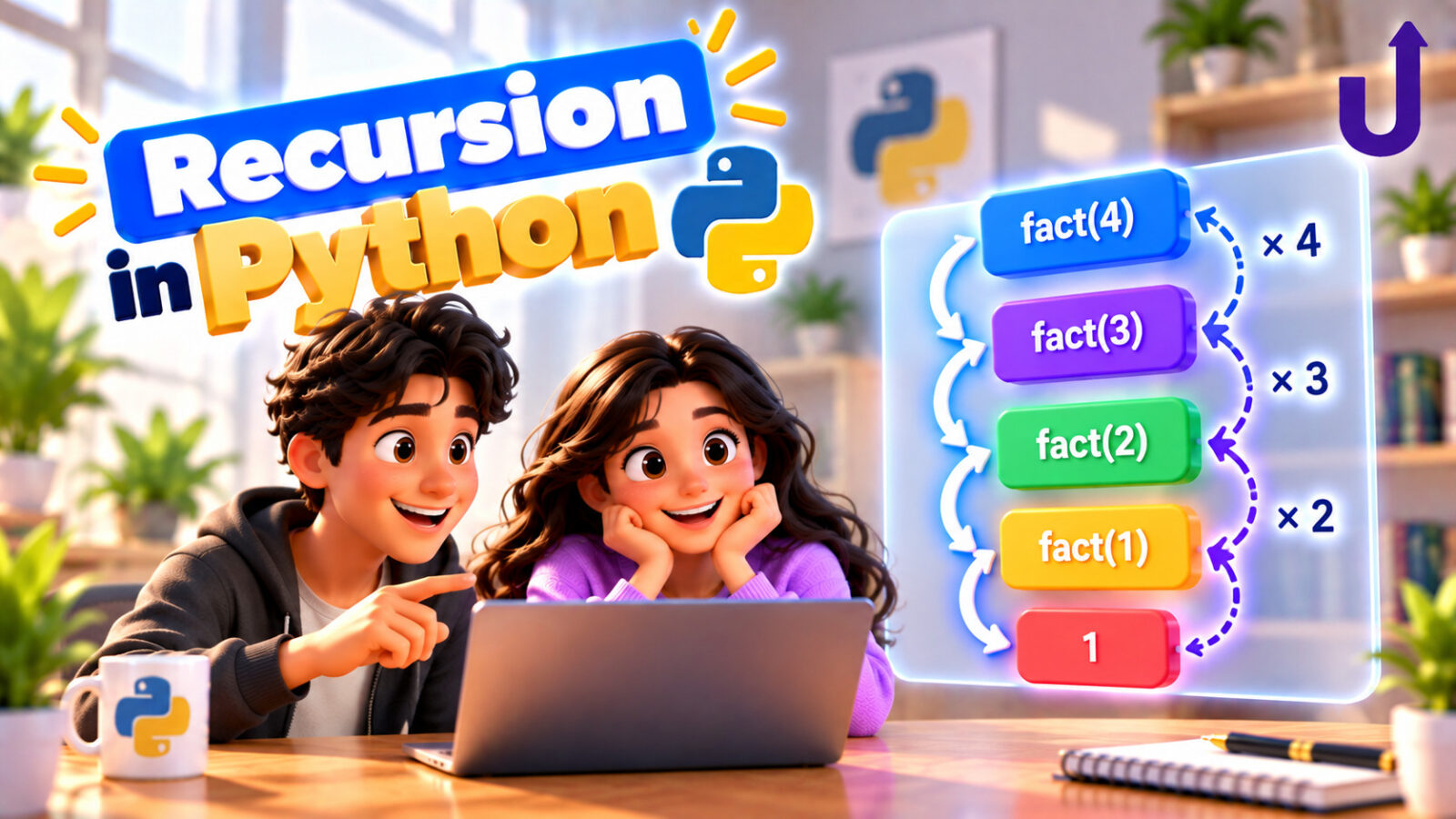
Recursion is when a function calls itself to solve a smaller version of the same problem. It sounds circular, but it works, as long as the calls keep shrinking the problem until they reach one so small that the answer is obvious. Russian nesting dolls are a good picture: to count the dolls, open one, count the dolls inside it, and add one. A doll with nothing inside is where you stop.
This guide explains the two parts every recursive function needs, shows what Python does behind the scenes, and then works through the classic examples: factorial, Fibonacci, powers, flattening a list and the Tower of Hanoi. It also covers what goes wrong, including the recursion limit. All the output shown is real.
In this guide
The short version
- A recursive function has a base case (the answer is obvious, so it stops) and a recursive case (it calls itself on a smaller input).
- No base case, or a call that does not get smaller, means
RecursionError. - Each call waits on the call stack until the calls below it return.
- Repeated work can explode (naive Fibonacci). Caching results with
lru_cachefixes it. - Python stops at about 1000 nested calls. For very deep problems, use a loop.
The two parts of recursion
Every recursive function needs both:
- A base case that returns directly, with no further calls. It is the stopping condition.
- A recursive case that calls the function again with a smaller input, moving toward the base case.
The factorial of 5 is 5 x 4 x 3 x 2 x 1. In other words, 5 times the factorial of 4. And the factorial of 1 is simply 1, which is the base case:
def factorial(n):
    if n <= 1:                      # base case: stop here
        return 1
    return n * factorial(n - 1)     # recursive case: a smaller problem

print(factorial(5))
print(factorial(0))
Output
120
1
The n * factorial(n - 1) line is the leap of faith: assume the call on the smaller input gives the right answer, and build your answer from it. You do not need to follow every level in your head.
What happens behind the scenes
Each call gets its own copy of the variables and waits until the call it made returns. Python keeps these waiting calls on the call stack (the same last-in-first-out idea as in Stack in Python: Implementation and Uses). The trace below shows the calls piling up, hitting the base case, and then returning one by one. Each level of indentation is one level deeper in the stack:
def factorial(n, depth=0):
    pad = "  " * depth
    print(f"{pad}factorial({n}) called")
    if n <= 1:
        print(f"{pad}factorial({n}) returns 1")
        return 1
    result = n * factorial(n - 1, depth + 1)
    print(f"{pad}factorial({n}) returns {result}")
    return result

factorial(4)
Output
factorial(4) called
  factorial(3) called
    factorial(2) called
      factorial(1) called
      factorial(1) returns 1
    factorial(2) returns 2
  factorial(3) returns 6
factorial(4) returns 24
Nothing is multiplied until the base case is reached. Only then do the answers travel back up: 1, then 2 x 1, then 3 x 2, then 4 x 6.
A recipe for thinking recursively
- Find the base case. What is the smallest input, and what is its answer? (An empty list, the number 0 or 1, an empty string.)
- Shrink the problem. How can you make the input smaller, by one item or by half?
- Combine. Assuming the smaller problem is solved, how do you build the answer for the current one?
If step 2 does not make progress toward step 1, the function never stops. Here is what that looks like:
def count_down(n):
    return count_down(n - 1)        # no base case, so it never stops

try:
    count_down(5)
except RecursionError as e:
    print(type(e).__name__)
Output
RecursionErrorPython stops the runaway calls with a RecursionError instead of using up all the memory.
Simple examples
The recipe applies to lists and strings too. The base case is an empty (or one-item) input, and the recursive case handles the first item and leaves the rest to the function itself:
def total(nums):
    if not nums:                    # base case: nothing left to add
        return 0
    return nums[0] + total(nums[1:])

def reverse(text):
    if len(text) <= 1:
        return text
    return reverse(text[1:]) + text[0]

def is_palindrome(text):
    if len(text) <= 1:
        return True
    return text[0] == text[-1] and is_palindrome(text[1:-1])

print(total([4, 8, 15, 16]))
print(reverse("python"))
print(is_palindrome("level"), is_palindrome("python"))
Output
43
nohtyp
True False
These teach the idea, but note that nums[1:] makes a new copy of the list at every level, which makes the function slower than a loop. In real code, sum(nums) is better. The greatest common divisor is a more natural fit: Euclid’s rule says gcd(a, b) equals gcd(b, a % b), and the answer is a when b is 0:
def gcd(a, b):
    if b == 0:
        return a
    return gcd(b, a % b)

print(gcd(48, 18), gcd(17, 5))
Output
6 1Fibonacci and the cost of repeating work
Each Fibonacci number is the sum of the two before it: 0, 1, 1, 2, 3, 5, 8… The recursive version is a direct copy of that definition, and it is a famous example of a recursion that goes wrong. Every call makes two more calls, and they keep recomputing the same values. We count calls rather than seconds:
calls = 0

def fib(n):
    global calls
    calls += 1
    if n < 2:
        return n
    return fib(n - 1) + fib(n - 2)

for n in [10, 20, 25]:
    calls = 0
    print(f"fib({n}) = {fib(n)} using {calls} calls")
Output
fib(10) = 55 using 177 calls
fib(20) = 6765 using 21891 calls
fib(25) = 75025 using 242785 calls
Going from 20 to 25 makes 11 times more calls. The count grows exponentially, and fib(40) would need hundreds of millions of calls. The fix is to remember answers that were already computed, called memoization. functools.lru_cache does it with one line (decorators are explained in Python Decorators Explained):
from functools import lru_cache

calls = 0

@lru_cache(maxsize=None)
def fib(n):
    global calls
    calls += 1
    if n < 2:
        return n
    return fib(n - 1) + fib(n - 2)

print(fib(25), "using", calls, "calls")
print(fib(100), "using", calls, "calls in total")
Output
75025 using 26 calls
354224848179261915075 using 101 calls in total
Now each value is computed exactly once: 26 calls for fib(25), and just 101 calls in total for fib(100), whose answer has 21 digits. This idea grows into Dynamic Programming in Python for Beginners.
Faster powers, flattening and Hanoi
Halving the problem. To compute 2 ** 100, you do not need 100 multiplications. Compute 2 ** 50 once and square it. That takes only about 7 levels of calls. This is called divide and conquer, the same idea that powers binary search and merge sort:
def power(base, exp):
    if exp == 0:
        return 1
    half = power(base, exp // 2)         # solve half the problem once
    if exp % 2 == 0:
        return half * half
    return half * half * base

print(power(2, 10), power(3, 5))
print(power(2, 100) == 2 ** 100)
Output
1024 243
True
Nested data. Recursion suits structures that contain smaller copies of themselves, such as a list inside a list. Loops cannot handle any depth without a lot of bookkeeping, but recursion can:
def flatten(items):
    flat = []
    for x in items:
        if isinstance(x, list):
            flat.extend(flatten(x))      # a list inside: same problem, smaller
        else:
            flat.append(x)
    return flat

print(flatten([1, [2, [3, 4]], [[5], 6]]))
Output
[1, 2, 3, 4, 5, 6]Tower of Hanoi. Move a stack of disks from peg A to peg C, one disk at a time, never placing a bigger disk on a smaller one. The recursive idea: move the top n-1 disks out of the way, move the biggest disk, and then move the n-1 disks back on top. The number of moves is 2^n - 1, so it doubles with every extra disk:
def hanoi(n, source, target, spare, moves):
    if n == 0:
        return
    hanoi(n - 1, source, spare, target, moves)     # move the top n-1 out of the way
    moves.append((source, target))                 # move the biggest disk
    hanoi(n - 1, spare, target, source, moves)     # put the n-1 back on top

moves = []
hanoi(3, "A", "C", "B", moves)
print(moves)

for n in [1, 2, 3, 4, 5, 10]:
    moves = []
    hanoi(n, "A", "C", "B", moves)
    print(n, "disks:", len(moves), "moves")
Output
[('A', 'C'), ('A', 'B'), ('C', 'B'), ('A', 'C'), ('B', 'A'), ('B', 'C'), ('A', 'C')]
1 disks: 1 moves
2 disks: 3 moves
3 disks: 7 moves
4 disks: 15 moves
5 disks: 31 moves
10 disks: 1023 moves
The recursion limit
Each call uses memory on the call stack, and Python limits it to roughly 1000 nested calls by default. That is plenty for most problems, but not for something like “add the numbers up to 10,000”, where a loop is the better tool:
def sum_to(n):
    if n == 0:
        return 0
    return n + sum_to(n - 1)

def sum_to_loop(n):
    total = 0
    for i in range(1, n + 1):
        total += i
    return total

print(sum_to(100))
try:
    sum_to(10_000)
except RecursionError:
    print("recursion too deep")
print(sum_to_loop(10_000))
Output
5050
recursion too deep
50005000
You can raise the limit with sys.setrecursionlimit(), but a very high value can crash the interpreter, so it is usually a sign to switch to a loop or your own stack. Python also does not optimize “tail calls”, so a recursive function that ends by returning its own call still uses one stack frame per call.
Recursion or a loop?
| Recursion | Loop | |
|---|---|---|
| Best for | Trees, nested data, divide and conquer, backtracking | Simple counting and repeating |
| Readability | Short and close to the problem definition | Explicit, more variables to track |
| Memory | One stack frame per call | Constant |
| Depth limit | About 1000 calls in Python | None |
| Speed | Slightly slower (call overhead) | Slightly faster |
Any recursive function can be rewritten with a loop and a stack of your own, and the other way around. Choose the version that is easiest to read, unless you expect a huge depth.
Where recursion is used
- Trees and graphs. A tree is a node with smaller trees inside it. See Binary Tree in Python: Traversals Explained and Graphs in Python: Adjacency List, BFS and DFS.
- Sorting. Merge sort and quick sort are recursive, see Sorting Algorithms in Python.
- Backtracking. Trying choices and undoing them: Backtracking in Python: Subsets and Permutations.
- Dynamic programming. Recursion plus remembered answers.
- Everyday tasks. Walking through a folder tree, parsing nested JSON, and evaluating expressions.
Common mistakes
- Forgetting the base case. The function never stops, and Python raises
RecursionError. - A recursive call that does not shrink.
f(n)callingf(n)orf(n + 1)never reaches the base case. - Forgetting to
returnthe recursive call. Writingfactorial(n - 1)withoutreturnor without using its result givesNone. - Recomputing the same values. If a function calls itself twice on overlapping inputs, add
lru_cache. - Copying big slices at every level.
nums[1:]costsO(n)each time. Pass an index instead for large inputs. - Choosing recursion for a very deep problem. Beyond ~1000 levels use a loop.
Try it yourself
Work out each answer first, then open the solution.
1. Write sum_digits(n): the sum of the digits of a number, using recursion. 1234 gives 10.
Show solution
def sum_digits(n):
    if n < 10:
        return n
    return n % 10 + sum_digits(n // 10)

print(sum_digits(1234), sum_digits(7))
Output
10 7Base case: a single digit is its own sum. Otherwise, the last digit is n % 10 and the rest of the number is n // 10.
2. Write max_rec(nums): the largest number in a non-empty list, without max() or loops.
Show solution
def max_rec(nums):
    if len(nums) == 1:
        return nums[0]
    rest = max_rec(nums[1:])
    return nums[0] if nums[0] > rest else rest

print(max_rec([3, 9, 2, 7]))
Output
9A one-item list is its own maximum. Otherwise, compare the first item with the maximum of the rest.
3. Write depth(x): how deeply lists are nested. [1, [2, [3]]] has depth 3.
Show solution
def depth(x):
    if not isinstance(x, list):
        return 0
    return 1 + max((depth(item) for item in x), default=0)

print(depth([1, [2, [3]]]), depth([]), depth(5))
Output
3 1 0Anything that is not a list has depth 0. A list is one level deeper than its deepest item, and an empty list still counts as one level.
4. Why is the plain recursive fib(40) so slow, and what is the fix?
Show answer
Every call spawns two more, and they recompute the same values over and over, so the number of calls grows exponentially. Caching each result once (lru_cache, or a dictionary) brings it down to about one call per value.
Run these in our free Python compiler.
Frequently asked questions
What is recursion in Python?
Recursion is when a function calls itself to solve a smaller version of the same problem. It needs a base case that stops the calls, and a recursive case that moves toward it.
What is a base case?
The simplest input, for which the function returns an answer directly without calling itself, such as an empty list or the number 0. Without it, the recursion never ends.
What is the recursion limit in Python?
By default about 1000 nested calls. Going deeper raises RecursionError. You can change it with sys.setrecursionlimit(), but a loop is usually the better answer.
Is recursion better than a loop?
Not always. Recursion is clearer for trees, nested data and divide-and-conquer problems. Loops are faster, use less memory and have no depth limit, so they are better for simple repetition.
Why is recursive Fibonacci slow?
Each call makes two more calls that recompute values that were already computed, so the work grows exponentially. Memoization, for example functools.lru_cache, makes it fast.
Does Python optimize tail recursion?
No. Python keeps a stack frame for every call, even when the recursive call is the last thing a function does, so very deep recursion still hits the limit.
Related reading
- Dynamic Programming in Python for Beginners – recursion plus remembered answers.
- Backtracking in Python: Subsets and Permutations – recursion that tries and undoes choices.
- Binary Tree in Python: Traversals Explained – recursion on a tree.
- Python Decorators Explained Step by Step – how lru_cache is applied.
Run this code in your browser
The free Upskly compiler runs Python with nothing to install. Paste the example, change it and see what happens.
Stuck on a traceback?
AI Assist works inside the Python notebook, so you can ask about an error or a concept without leaving the cell.
Test yourself
Timed questions on Recursion and Dynamic Programming, with an explanation for every answer.
